Successful political campaigns start with a strong announcement. Of course, there’s a lot more that goes on behind the scenes before a candidate can publicly declare a candidacy. Before you announce, your campaign should have a basic plan, a clear message, a working website, and the materials needed to introduce yourself to voters and the local press.
In this article, we will go through the steps and strategies for announcing your political campaign.
A successful campaign launch requires planning and a strong foundation. Here are tips for putting together a plan to announce your candidacy for office.
A checklist for announcing your political campaign:
- Have your campaign plan in place
- Make sure your brand is developed
- Develop your positions on the issues
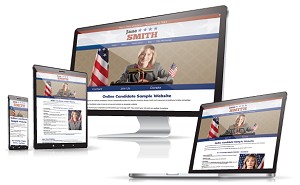
- Launch your campaign website
- Choose a date to make your announcement
- Prepare your press kit
- Inform your supporters
- Hold the event
- Make your announcement online
- Follow up after the announcement
Get our FREE Campaign Kickstart Guide
Get Yours Now.
Have your campaign plan in place
Before you announce your political campaign, you should already have a plan for how you will run your campaign. You will also want a fundraising and spending budget in place for reaching your voter goal.
Your campaign team should already be taking shape. That may include a Campaign Manager, Treasurer, Volunteer Coordinator, Scheduler, Telephone Supervisor, Social Media Coordinator, and Press Secretary. If you are running a local campaign, you may not have all these positions filled yet. That’s fine, but the key responsibilities should be assigned.
At a minimum, someone should be ready to handle campaign finances, website updates, social media, volunteer inquiries, press contacts, and fundraising follow-up.
Make sure your brand is developed
The design aspect of your campaign should be set before you announce. Branding is a powerful promotional tool that allows a candidate to extend their reach and build trust. A strong brand needs compelling visuals, accurate information, and consistent promotion.
While your design elements may be the first things voters see, your overall brand should be communicated throughout all aspects of your political marketing and advertising.
Your visual political brand includes:
- Campaign color scheme and fonts
- Political logo design
- Initial candidate photography
- Website and social media graphics
Your print and web design should be consistent with the look of your brand. You should build a campaign website and have it in place before your announcement. Ideally, the website should be live a few days before you make your campaign public.
We’ve seen candidates attempt to coordinate their site launch with their announcement, and they do it without reviewing the site properly first. You don’t want to fixing website typos and errors at the same time you’re getting your first visitors.
Develop your positions on the issues
Once you begin your campaign for office, you’ll be expected to adopt positions on various local issues. You can’t run a campaign while you are still figuring out where you stand on things. This applies whether you are running for school board, city council, mayor, state representative, or Congress.
Ask yourself:
- What are your positions on the major issues?
- What is the most important issue for your campaign?
- Do you know your opponent’s position on each issue?
- Can you clearly explain how your campaign is different?
- Are your messaging and talking points in order?
Perhaps most importantly, you should be ready to answer the question, ‘Why are you running for office?‘
Don’t announce without your campaign website in place! Get your professional website created up in days, not weeks.
Choose a date to make your announcement to run
You will want to choose the right date and time to announce your candidacy. Ideally, you’ll want to make your announcement:
- During the week, but not on a Friday.
- On a date that does not clash with a holiday or other major event.
- 10:00 to 11:00AM tends to be the best time to get media coverage for press conferences.
- At a time when you can get the most attendees to your press event, if you have one.
Where and how will you announce your candidacy?
Try to select a location that holds some meaning for your campaign. The place may be related to your district, your personal story, or a particular issue. Optics are important. The event may be filmed and photographed, so it should be a place that supports the message you want to convey.
Contact your local media and call a press conference if appropriate. You want to get as much coverage for your event as possible. Give media outlets enough time to schedule a reporter. Around this time, you may also want to write and submit an op-ed to your local newspapers, announcing why you’re running.
Tip: Before finalizing your location, make sure you have any necessary permission to hold the event there.
Prepare an informational press kit
Political press kits are helpful because they make basic campaign and candidate information easily accessible for journalists and interested parties. While you can have this in physical form, a press kit today is much more likely to be digital. It can be added to your campaign website for easy access.
Political press kit items:
- A cover letter describing the candidate and campaign
- A candidate biography that includes your background, experience, and qualifications
- Press releases, including one about your entry into the race
- Digital copies of your campaign logo, brochures, palm cards, flyers, and other materials
- Photographs of the candidate and campaign.
- Related newspaper or media excerpts, preferably as links rather than copied material
- A question-and-answer sheet covering the major issues and your campaign platform
- Contact information for media inquiries
Offer several photo versions for download. Low-resolution files can be used for web, but print requires higher resolution versions. Use clear file names so reporters know what they are downloading.
Reach out to your local newspapers and media companies and let them know where they can access your press kit.
Inform your supporters
When you make your public announcement, you will want to let your close supporters, local party contacts, early donors, and major local organizations know ahead of time. Invite them to attend the event.
Even if they are unable to attend, letting them know before the general public will make them feel more involved. This can help turn potential supporters into active ones.
You’ll want to have as many supporters present as possible for the big day. Bring your friends and family. Your campaign staff and volunteers should also be there.

Hold the event!
This is the day. Now is the time you can finally let the public know that you are running for office.
You will want to have your announcement speech well practiced and ready to deliver. The goal of the event is to create excitement and enthusiasm about your campaign. If you have any major announcements, such as an endorsement from an organization or prominent local figure, be prepared to share the news.
There may be media crews present to photograph and video the event. You should still have your own photographer and someone to record video. That way, you have your own library of media to use for print and online promotion.
Even if no one from the press shows up, carry on. You can provide a press release and photo to the media later, along with access to your online press kit.
Make your announcement online
Make sure your website is ready before your public announcement. If you’re using social media, have your header graphics, profile images, colors, and links set so everything matches your campaign’s overall look and feel.
Your campaign website should be the central hub for your announcement. When people hear that you are running, they may search for your name, look for your biography, check your issues, or decide whether to donate or volunteer. It takes time for search engines to index your site, so that’s another good reason to make your website live some time before your announcement.
Before announcement day:
- Check your website grammar and spelling
- Make sure your website works properly
- Test your volunteer, contact, and email signup forms
- Make sure your donation system is in place and ready to accept contributions
- Confirm that your website works well on mobile devices
- Set up Google Analytics so you can measure launch traffic
- Verify your website in Google Search Console so you can monitor search visibility
- Submit your sitemap if available
- Have your texting or SMS system ready, if you are using one
- Have your online advertising ready to go, if it’s part of your launch plan
When everything is ready, post your campaign announcement letter to Facebook, X/Twitter, Instagram, and your other social media accounts. Post before, during, and after the event. If appropriate, livestream the event or release a campaign video to your YouTube channel. Start your online advertising if you are doing so at this time.
Use your campaign launch event as an opportunity to seek help. You need to grow your volunteer base and bring in donations to take your candidacy to the next level. This applies whether you are running for local, state, or federal office.
After You Announce
Once you have launched your political campaign, you may start to get more attention. If a local newspaper, radio station, podcast, or community group wants to interview you, make yourself available when possible. If an organization wants to meet with you or have you speak to their membership, consider it an opportunity to introduce your campaign to more voters.
After your announcement:
- Thank the people who attended or helped
- Send your press release and photos to local media
- Post event photos and video clips online
- Follow up with new volunteers and donors
- Keep your website and social media accounts active
- Continue asking supporters to share, donate, and volunteer
Good planning and execution will help ensure that your entry into politics gets off to a strong start.

Ready to begin your online campaign? Online Candidate provides affordable campaign websites and political marketing services to build your digital campaign.
Read More:


6 Website Secrets Your Political Opponent Doesn’t Know »
Tags: newspapers, photos, press releases