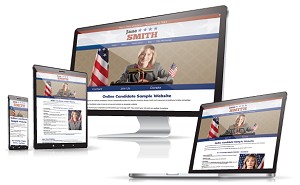
Political campaign websites often miss the simple things.
The design may look fine. The candidate photo may be professional. The donation button may work and is prominent. But if a voter cannot quickly figure out who the candidate is, where the race is, what office is involved, or how to help, the site is not doing its job.
That happens more often than you’d think. After working with local and state campaign websites for years, we’ve seen the same avoidable problems show up again and again: missing locations, outdated election dates, vague issue pages, and contact information that are hard to find.
A campaign website needs to answer these basic questions immediately. It should make things easy for voters, reporters, local organizations, volunteers, donors, and anyone else trying to understand or share your election campaign.
Here are five details every campaign website should include.
Get Your Campaign Website in Place Early
Once your campaign gets underway, there will always be something more urgent to do. Setting up your website early gives you a place to introduce yourself, explain your positions, collect supporters, and accept donations when you are ready.
Online Candidate can build and set up your campaign website for you, or you can create your own with our Monthly Campaign Website Builder starting at $29/month.
Need Help Building Your Campaign Website?
When voters look you up, make sure they can quickly find your background, positions, and ways to get involved.
Online Candidate can build your campaign website for you, or you can create your own with our Campaign Website Builder.
1. State/Municipality/Office Sought
Don’t assume visitors know where your campaign is located.
Many campaign websites say something like “Jane Smith for Mayor” without clearly stating the city, town, county, district, or state. That can create confusion, especially when place names are repeated across the country. Be specific.
For example:
Weak: Jane Smith for Mayor
Better: Jane Smith for Mayor of Springfield, Illinois
If you’re running for office in Orange County, specify whether that means Orange County, New York; Orange County, California; Orange County, Florida; or somewhere else.
This is especially important for local candidates. A voter may see your yard sign, hear your name at an event, or come across a social media post and then search for you later. Your website should quickly confirm that they’ve found the right campaign.
At minimum, your site should clearly state:
- the candidate’s full ballot name
- the office sought
- the municipality, county, district, or state
- the election year, when relevant
This information belongs on the home page, the About page, site footer, and only any major issue page.
2. The Election Date
Most voters won’t know when the election is, especially if the election is in the spring or it’s a primary date.
Your website should list your election date clearly, including the year. This is especially important for local races, primaries, special elections, and runoff elections.
Weak: Vote on Election Day
Better: Vote Tuesday, November 5, 2026
If applicable, include:
- primary election date
- general election date
- early voting dates
- absentee or mail ballot deadlines
- voter registration deadline
The year matters. Plenty of old campaign websites remain online long after Election Day. Some still ask people to vote in elections that ended years ago. If your site stays online after the campaign, the date helps visitors understand whether the information is current or historical.
If you run again later, update this information early. Nothing makes a campaign look neglected faster than an old election date on the homepage. This is especially common when a candidate reuses an old website or announces early for a later election cycle.
3. Basic Voting Information
Your website should give voters a clear path to reliable election information.
You do not need to recreate your county or state election website. In fact, it is usually better not to. Summarize the essentials, then link to the official source for details such as voter registration, polling places, early voting, absentee or mail ballot rules, district maps, and deadlines.
For example, a school board candidate website might include:
Election Day is Tuesday, May 14, 2026. Polls are open from 6 a.m. to 9 p.m. Check your polling place through the county Board of Elections.
Then link directly to the official election office. This keeps the information useful without making the campaign responsible for maintaining every election rule or polling-place update.
Get Free Campaigning Tips: Subscribe for free guides and updates from Online Candidate.
4. Specific Local Issues
Local campaigns should sound local. State campaign websites should address state issues and congressional websites should address national issues. Sometimes local candidates do not stay in their lane. We often see candidates use issue language from larger races, even when the office they are seeking has no direct control over those issues.
Don’t rely on issue language that could apply anywhere. A town board candidate should not just say “fix traffic problems.” Say which traffic problems. Mention Main Street, Route 17, the school drop-off area, or the intersection residents complain about at every meeting.
The same applies to spending, public safety, development, schools, taxes, or local services. A vague line like “I support responsible spending” is generic and easy for a reader to ignore. A more useful version would be: Jane Smith will review the town’s road maintenance budget and push for clearer reporting on project costs.
Specific details show voters that you understand the community and the responsibilities of the office.
This doesn’t mean every issue page needs to become a long policy paper. In many local races, a short explanation with a few concrete examples is enough. The goal is not to make the page longer. The goal is to make it sound like it belongs to your race, not anyone else’s.
5. Full Contact Information
Make it easy for people to reach your campaign.
That includes voters with questions, reporters checking details, local organizations sending candidate questionnaires, donors looking for contribution information, and volunteers who want to help.
At minimum, your site should include a campaign email address or contact form. This can include your campaign mailing address, phone number, and links to your official social media accounts.
If you want to write in the first person, try adding a quote box and a call to action written in the third person.
Don’t want to publish a personal phone number? Use a campaign phone number or contact form. If you don’t want to list a home address, use a campaign mailing address or P.O. box.
Your contact page information has one job, to provide a clear path for people who need to reach the campaign. If people cannot contact you while you are asking for their vote, they may question how responsive you will be if elected.
Bonus Tip: Use the Candidate’s Name
Too many campaign websites are written almost entirely in the first person. The candidate is referred to as “I” or “my,” but the candidate’s actual name barely appears.
For example:
I am running because I believe our town deserves better.
That can work in a personal letter or homepage message, but your site should also use the candidate’s full name.
A clearer version would be: Jane Smith is running for Town Council because she believes Springfield deserves safer streets, better budget oversight, and more responsive local government.
You can still write in the first person where it makes sense. Just make sure the site also clearly states the candidate’s full ballot name, office sought, and location.
This also helps reporters, voter guides, local party pages, and civic organizations get the facts right when they pull information from your website.
Final Check
Before launching or updating your campaign website, ask whether a first-time visitor can answer these questions within a few seconds.
A simple test is to open your website on a phone and pretend you know nothing about the candidate. Within 10 seconds, can you identify the candidate, office, location, election date, and next action? If not, the site needs clearer information.
Don’t only check the homepage. A visitor may land on your About page, Issues page, Donate page, Volunteer page, or a page shared by someone else. Consider every page on your site as a potential landing page.
A political campaign website doesn’t need to be complicated. But it does need to be clear. Your voters and supporter deserve it.
Related:
- Writing Content For Your Campaign Website – Examples
- Write an Optimized Political Press Release
- Creating a Political Campaign Swipe File
Get your campaign website created fast and easy with Online Candidate. Designed for political candidates and organizations, we offer affordable political website packages and options. Find out which package is best for you.
Read More:



Election Website Basics You Should Know »