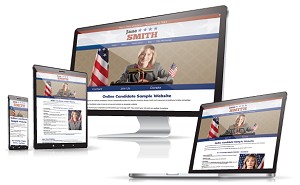
How much does a political campaign website cost? It can be almost nothing, a few hundred dollars, a few thousand dollars, or much more.
That range confuses a lot of candidates, especially in races where budgets are tight and website decisions have to be made quickly. A free builder, a generic DIY platform, a campaign-specific website system, and a fully custom agency site may all be described as “website options,” but they are not really the same thing. They come with very different levels of setup work, support, flexibility, and campaign-specific functionality.
If you are the candidate, campaign manager, or consultant trying to make this decision, this is where things usually get fuzzy. The price tag looks simple. The real cost usually isn’t.
We have seen candidates spend too much on custom development they did not need. We have also seen candidates try to save money with free or general-purpose builders, only to lose time fighting the platform, paying for upgrades, or ending up with a site that still was not helping them collect donations, recruit volunteers, or guide voters.
So the real question is not just what a campaign website costs. It is what you are paying for, what you can skip, and how much you will have to figure out yourself.
Get Your Campaign Website in Place Early
Once your campaign gets underway, there will always be something more urgent to do. Setting up your website early gives you a place to introduce yourself, explain your positions, collect supporters, and accept donations when you are ready.
Online Candidate can build and set up your campaign website for you, or you can create your own with our Monthly Campaign Website Builder starting at $29/month.
Need Help Building Your Campaign Website?
When voters look you up, make sure they can quickly find your background, positions, and ways to get involved.
Online Candidate can build your campaign website for you, or you can create your own with our Campaign Website Builder.
The 5 Main Price Ranges for Political Campaign Websites
Political campaign websites usually fall into five pricing buckets. The exact numbers vary, but the pricing tiers are fairly predictable.
1. Free Website Builders and Free Plans
At the lowest end are free website builders and free plans. These can work for testing ideas or putting up a temporary placeholder, but they usually come with clear tradeoffs.
The site may run on a subdomain or subfolder, carry platform branding, or limit features you need once the campaign starts moving. Email may not be included. Support is usually minimal. In many cases, the “free” plan is really a lead-in to paid upgrades for custom domains, stronger forms, more storage, or better functionality.
Free plans can be useful for experimenting. For a serious campaign, they are usually too limited.
2. Generic DIY Website Builders
The next level is the general DIY website builder. This is where Wix, Squarespace, WordPress.com, and similar platforms come in.
These usually look affordable at first. In practice, they often run in the rough range of $20 to $60 per month, sometimes more once setup, upgrades, or outside help are added.
For some campaigns, that can work. The issue is that the monthly software price is only one part of the cost. The campaign still has to figure out the page structure, organize navigation, set up forms, write content, and make sure the site supports donations, volunteer signups, and voter action rather than simply displaying information.
A generic builder can be a workable option if someone on the campaign is comfortable handling that setup. It’s a weaker fit when the candidate or campaign manager needs clearer guidance, built-in campaign structure, or a faster path to launch.
3. Campaign-Specific DIY Platforms
A dedicated political campaign website builder gives candidates control over their site while starting with a structure built around political website needs.
Instead of beginning with a blank layout and a long list of options, the campaign starts with the pieces a typical race needs: a homepage, candidate biography, issue pages, donation path, volunteer signup, contact options, and related campaign tools.
The monthly price may not be the lowest in the market, but the setup burden is often lower. For many campaigns, that is a better tradeoff than a cheaper generic platform that requires more assembly or outside services to fill in missing campaign features.
4. Fixed-Price Campaign Website Packages
Some providers offer fixed-price campaign website packages instead of open-ended custom pricing. That can be a practical middle ground.
The main advantage is predictability. The candidate knows the price and what is included without worrying about a project expanding as a freelancer or agency adds hours, revisions, or extra setup.
This works well for campaigns that want more help with design or setup but do not need a fully custom site with one-off development.
5. Freelancers and Agencies
At the high end are freelancers and agencies building sites from scratch or close to it.
A reputable freelance web developer may charge $1,500 or more for a basic website, with costs climbing to $5,000 or more for a more sophisticated site with custom functionality. An agency can charge considerably more, especially when the project includes custom design, branding, original page layouts, content development, and a more involved planning process.
Costs also rise when the site includes custom donation systems, merchandise sales, unique features, or one-off programming. Maintenance, backups, hosting, and support may be billed separately.
And if it’s a rush job right before a primary or Election Day, that may cost extra.
That can make sense in a bigger race. A city council, sheriff, school board, or local judicial campaign usually does not need the same website process as a statewide or congressional race with a larger budget and team.
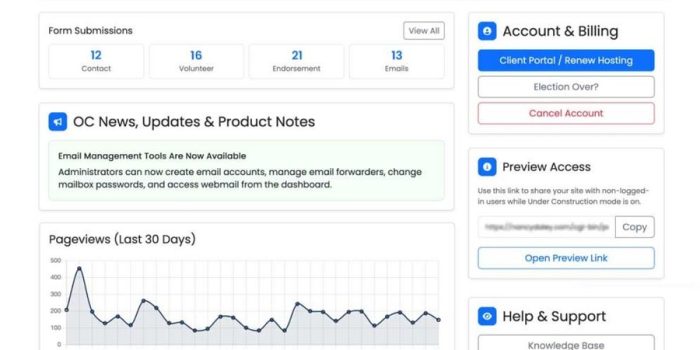
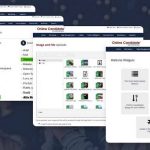
Online Candidate Campaign Website Builder Dashboard
What Candidates Usually Overspend On
The biggest place candidates overspend is custom development they did not really need.
A lot of first-time candidates assume a political website has to be built from scratch to look professional. That’s often not true. What drives the price up is not just design quality. It is the planning, discovery, and one-off decision-making that happens before the site is even usable.
When a freelancer or agency builds a campaign website from the ground up, part of the cost is figuring out the basics: what pages the site needs, how the homepage should work, what forms should be included, and how donations, volunteer signups, and content should be organized.
We have seen campaigns pay for custom homepage layouts, navigation, and page planning, only to end up with the same basic structure most campaigns need anyway: About, Issues, Donate, Volunteer, Contact.
“Custom” has a nice ring to it, but it also has a nice way of inflating the bill. Most campaigns need a site that is clear, easy to update, and built around the actions that matter most: learning about the candidate, signing up, volunteering, donating, and getting in touch.
Campaign size matters. Larger races may legitimately need heavier branding, more original layouts, custom landing pages, extensive issue content, or one-off development. Many local campaigns do not.
Overspending usually happens when a campaign pays someone to invent a solution instead of starting with a system that already understands what a political website needs.
Where DIY Builders Create Friction
DIY website builders appeal to candidates for an obvious reason. The monthly price looks manageable, and the platform seems simple enough to handle yourself.
Sometimes that’s true.
The problem is that many candidates underestimate how much work sits between opening the builder and launching a site that actually helps the campaign.
Even when a builder is marketed as easy to use, someone still has to understand page structure, navigation, forms, styling, and how the site should guide a first-time visitor.
That’s where all that flexibility can start working against you. A platform that lets you do almost anything also gives you more chances to make bad decisions. We’ve seen self-made campaign sites with five calls to action above the fold, three different font styles, and no obvious place to donate or volunteer.
We’ve also seen candidates lose time adjusting fonts and moving copy boxes around while bigger questions remained unanswered: What office are you running for? Where is the donate button? Where does someone sign up for updates? What should the voter do next?
Generic builders, including WordPress and other general-purpose website platforms, may offer polished templates, but the campaign still has to decide what pages to create, what content belongs on them, and how the site should move visitors toward action.
A campaign-focused DIY platform reduces some of that friction by starting with pages, forms, and structure designed around common campaign needs.
DIY builders can save money when the campaign already knows what it is doing, or when the platform reduces the learning curve. Otherwise, the lower software price can come with more frustration, wasted time, and avoidable website mistakes.
The Hidden Costs Candidates Forget to Ask About
When candidates compare website prices, they usually focus on the obvious number first: the package price, monthly subscription, or quote from a designer.
What gets missed are the details that turn into real costs later.
- Domain name: Some website options include registration and some do not. More importantly, make sure the campaign knows who controls the domain and whether it can be transferred. Domain ownership can become a problem long after the initial website purchase.
- Hosting: A freelancer may build the site and leave hosting decisions to the campaign. A generic builder may bundle hosting but require higher-tier plans as needs increase.
- Email: Domain-based email or forwarding may not be included with low-cost plans. That matters once you begin contacting voters, registering campaign accounts, or running ads.
- Support: If you save money on the platform but spend hours figuring things out alone, there is still a cost. The same is true when support covers only the software and not campaign-related questions.
- Content setup: A website package may include the platform and design but not the work of organizing pages, placing images, or adding initial copy.
Then there are extras that may become important later: logo cleanup, custom graphics, content assistance, image formatting, and additional page setup. Some campaigns need them and some do not. The important thing is knowing which services are included and which will cost extra.
Before choosing a website option, ask:
- Does this include the domain name?
- Who controls the domain and hosting?
- Is email included?
- What kind of support is available?
- Is content setup included, or am I filling every page myself?
- Are updates easy to handle once the site is live?
- Are logo design or custom graphics extra?
Those details are often what separate a predictable website cost from a project that keeps growing after the initial decision.
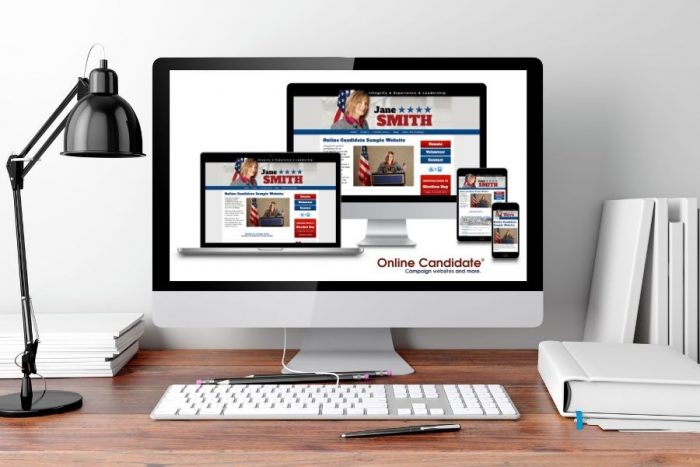
Where Online Candidate Fits
Once candidates understand the main pricing buckets, the next question is where Online Candidate fits.
Online Candidate sits in the middle. It’s not a free builder, and it is not a blank-slate custom project either. It is built to offer campaigns a more practical option: less setup hassle than a generic builder, and less cost and guesswork than starting from scratch.
Monthly DIY Option
For candidates who want to handle their own content and go month to month, Online Candidate offers a Political Campaign Website Builder at $29 per month. That includes a free .com domain registration, hosting, and access to the political website builder.
The key difference is that the builder is already shaped around campaign use. Instead of starting with a blank general-purpose system, candidates work with pages, forms, design options, and tools created for political websites.
Fixed-Price Website Packages
For campaigns that want more help upfront, Online Candidate also offers fixed-price website packages.
The Regular Campaign Website Package is $449 one time, and the Enhanced Campaign Website Package is $699 one time. Both include custom design work, the Online Candidate platform and site tools, free domain registration, and a hosting period built into the package.
The main difference is how much setup help you want. With the Regular Package, you add your own content. With the Enhanced Package, the initial content setup is included.
That gives campaigns a way to get professional setup assistance without moving into custom-agency pricing.
What Is Included in the Price
The price covers more than access to a website editor. Depending on the package, it can also include domain registration, hosting, campaign-specific forms and tools, built-in page structure, design assistance, and campaign support resources.
Because the CMS, forms, pages, and core functionality are already built around political campaigns, less time has to be spent reinventing the fundamentals for every website. That helps keep costs below a fully custom build and can also speed up launch.
Custom design or content setup can often be completed within 2 to 4 business days, which can matter when a campaign needs to get online quickly.
Who Online Candidate Fits Best
Online Candidate is designed for campaigns that want either a campaign-specific website they can manage themselves or a guided package that gets them online quickly without moving into custom-agency pricing.
Some campaigns need a fully custom digital project. Many do not. For most local and state races, the more important question is whether the website provides the right campaign structure, looks professional, is easy to maintain, and makes it simple for voters and supporters to take action.

Conclusion
Political campaign website costs vary because candidates are not choosing from one kind of product. They are choosing between free plans, generic builders, campaign-specific platforms, fixed-price packages, and custom builds.
For most races, the best option is usually not the cheapest or the flashiest. It is the one that gets your campaign online quickly, covers the essentials, and makes it easier for voters and supporters to take action.
Not sure which website option fits your race? See which Online Candidate service makes the most sense for your campaign, budget, and timeline. Explore Your Website Options
Read More:

Campaign Website Pages: What Every Candidate Needs to Include »