If you are running for local office, consider creating a Google account for your political campaign. You may already have a personal Gmail account, but creating a new Google account for your campaign will help separate your personal activities. Many candidates create a campaign Gmail account long before they start election activities, so they don’t end up accidentally sharing their personal life with the public.
A dedicated campaign Google account also helps keep ownership of important digital tools under campaign control. Your website analytics, Search Console access, YouTube channel, shared documents, calendar, and ad accounts should not be tied to anyone’s personal email address.
What Does a Google Account Give You Access To?
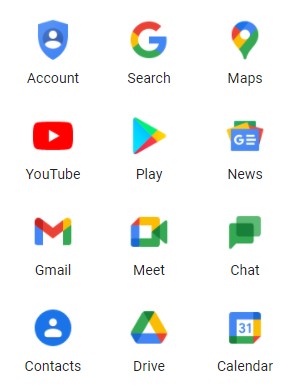
When you create a Gmail account, it allows you to create a Google account at the same time. A campaign Google account provides you with access to a number of tools, including:
Gmail: Gmail is a free email account with a large storage capacity. You can manage your emails by classifying them under different labels, and you can search within your mailbox. Your Gmail account ties into other Google services seamlessly. Having a central email account keeps communications in one location.
Get Your Campaign Website in Place Early
Once your campaign gets underway, there will always be something more urgent to do. Setting up your website early gives you a place to introduce yourself, explain your positions, collect supporters, and accept donations when you are ready.
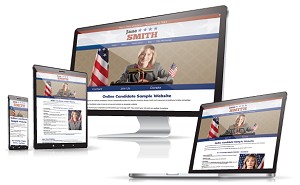
Online Candidate can build and set up your campaign website for you, or you can create your own with our Monthly Campaign Website Builder starting at $29/month.
Google Analytics 4 (GA4): Understanding visitor behavior is important for a strong campaign website. GA4 helps campaigns understand how visitors find and use their website. GA4 can show which pages people visit, where traffic comes from, and whether visitors complete actions such as donation clicks, volunteer signups, or contact forms. This aggregate data can help you improve campaign messaging, landing pages, and calls to action.
Analytics code can be easily added to your Online Candidate campaign website.
Google Ads: As your campaign gets going, you can use Google Ads to promote your campaign and reach voters online. Google’s political ad policies include strict verification and targeting rules for election-related advertising. Campaigns generally cannot use audience targeting tools such as remarketing, Customer Match, third-party audience lists, or geographic radius targeting for election ads. However, political campaigns may still use allowed targeting such as geographic location, age, gender, and certain contextual targeting options. Online advertising helps build awareness and can help with your GOTV efforts.
Google Calendar: Use this organizing tool to share your schedule with your campaign staff and contacts. You can integrate your calendar with Gmail and view your schedule from within your mailbox.
YouTube: YouTube is the world’s largest video portal. It’s free to upload your campaign videos and embed those videos right into your campaign website. If your campaign plans to run YouTube video ads through Google Ads, you will need to complete Google’s political ad verification process.
Google Docs and Google Drive: With a free Google account, you can create documents, spreadsheets, presentations, and forms that accept user input. You can share these documents with others. These tools are also part of Google Workspace, which offers paid options for campaigns that need custom email addresses, enhanced security, and better collaboration tools for staff and volunteers. It’s easier and more secure to work on documents from a central location, rather than relying on email attachments.
Google Apps Can Be Useful for Your Political Campaign
A Google account can become one of the central accounts for your campaign’s online activity. It can be used for your campaign email, website tracking, video hosting, advertising, file storage, and team organization.
Make sure the account is secured with a strong password and two-factor authentication. The account recovery email and phone number should be controlled by the candidate, campaign manager, or another trusted person with long-term responsibility for the campaign.
Don’t giving the main account password to anyone who does not need it. Whenever possible, use permission settings inside Google Drive, Google Ads, Google Analytics, and Search Console to grant access without giving away full control of the account.
You’ll Need an Account to Advertise on Google
Google Ads is an advertising platform that enables users to bid for ad placements in search results and across the web. Political candidates and organizations can advertise on Google, but there are strict limitations and verification requirements.
For election ads, Google limits the types of targeting campaigns can use. Campaigns may use approved targeting options such as location, age, gender, and contextual targeting, but they cannot use many audience-based tools that are common in commercial advertising. This includes restrictions on remarketing, Customer Match, and certain voter or audience list targeting.
Google also maintains public transparency tools for political advertising. Campaigns should assume that their ad spending, creative, advertiser information, and certain targeting details may be publicly available. This is designed to help protect people from election interference and reduce the spread of misinformation.
More details on Google’s political ad policies can be found here:
https://support.google.com/adspolicy/answer/6014595?hl=en
To run political ads, your campaign needs to be verified before your ads can run on Google. The verification process may involve submitting identification, campaign documentation, and disclaimer information for transparency. A similar authorization process exists for Facebook advertising.
You can create your own Google account at: https://accounts.google.com/
For more help on building your online campaign, check out our book, Running for Office as an Online Candidate – or get all our ebooks in our Combo Package.
Read More:


Sample Campaign Fundraising Kickoff Letter (With Tips to Make It Your Own) »