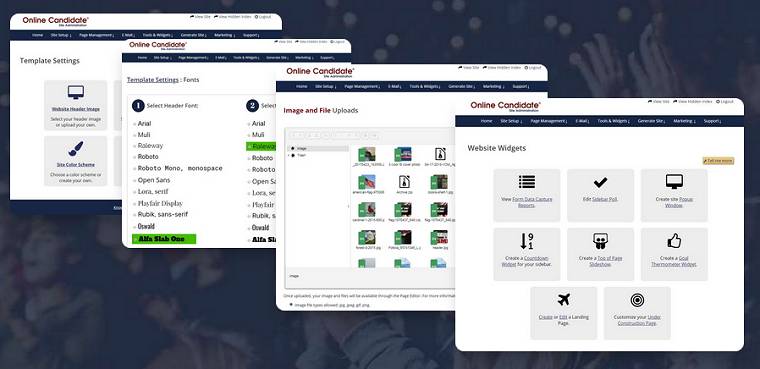
Building a political campaign website isn’t complicated. But it does need to be structured correctly.
Most candidates don’t struggle because the process is difficult. They struggle because they don’t know what needs to be in place before launch.
A campaign website should not be an afterthought of your election strategy. It should be one of the first systems you put in place, alongside your messaging, outreach, and fundraising.
After working with local campaigns over time, one pattern shows up consistently: the website is often built late, adjusted mid-campaign, and expected to do too much without a clear structure. When the website is launched last, campaigns are forced to catch up while outreach is already underway.
The short version: Decide how much website setup your campaign can handle. Secure a short domain controlled by the campaign, create the essential pages, prepare clear candidate and issue content, connect your donation and supporter forms, and test everything on a phone. The site should be live before you announce the campaign or begin directing voters online. After you build the site, you can expand and update it as the race develops.
Get Your Campaign Website in Place Early
Once your campaign gets underway, there will always be something more urgent to do. Setting up your website early gives you a place to introduce yourself, explain your positions, collect supporters, and accept donations when you are ready.
Online Candidate can build and set up your campaign website for you, or you can create your own with our Monthly Campaign Website Builder starting at $29/month.
Need Help Building Your Campaign Website?
When voters look you up, make sure they can quickly find your background, positions, and ways to get involved.
Online Candidate can build your campaign website for you, or you can create your own with our Campaign Website Builder.
Step 1: Decide What Your Campaign Website Must Do
Before getting into setup, it helps to understand what a campaign website is supposed to accomplish.
At a basic level, your website has three jobs:
- inform voters
- capture supporters
- generate donations
Everything on your site should support one of these outcomes while guiding visitors toward a clear next step. Most visitors decide within seconds whether to stay on a site. They’re looking for quick confirmation of who you are, what you’re running for, what you stand for, and whether they should support you or continue researching other candidates.
Start by understanding the campaign website pages that drive votes and donations. You should also review these common campaign website mistakes.
Account for the Office You’re Seeking
Campaign websites are not one-size-fits-all. The core structure stays similar, but the emphasis changes with the office:
- A city council campaign website focuses on local issues, community visibility, and voter contact.
- A school board campaign website emphasizes background, community involvement, and credibility.
- A sheriff campaign website often requires broader outreach, fundraising, and a strong presentation of professional experience.
- A judicial campaign website should present the candidate’s qualifications, temperament, and experience while accounting for rules that may restrict campaign messaging.
These differences affect emphasis more than structure, but they shape what voters expect to find and how they evaluate the candidate.
Step 2: Choose How You’ll Build the Website
Campaigns generally build their websites using a platform such as WordPress, Wix, or Squarespace, or a platform created specifically for political campaigns.
General website platforms offer flexibility, particularly when someone on the campaign already knows how to use them. The campaign is responsible for choosing the site structure, configuring forms, adding donation links, handling technical issues, and maintaining the website.
Campaign-specific platforms begin with common candidate pages and campaign functions already in place. Some allow candidates to build the site themselves, while others offer professional design and content setup.
A website builder for first-time political candidates should provide more than templates. In our experience, delays are more likely to come from missing biographies, photographs, issue content, disclaimers, and donation account details than from learning the editor. A useful platform should make those requirements clear before setup begins.
The right option depends on the campaign’s budget, available time, technical experience, and desired level of support. In most local campaigns, the limiting factor isn’t the tool—it’s time. Candidates are balancing website setup alongside outreach, events, and fundraising.
See how to choose a political campaign website builder and compare campaign website costs and pricing.

Step 3: Choose and Secure Your Domain Name
Your domain name is how voters find you online. It appears on campaign materials, social media, and search results, so it needs to be simple and easy to remember.
In most campaigns, the best domain is your name or a clear variation of it. Examples include:
- janesmith.com
- votejanesmith.com
- electjanesmith.com
Avoid long or complicated names, unusual spellings, or anything difficult to recall. If someone hears your name once, they should be able to find your site without guessing. We once had a client who registered a 57-character domain name. Way too long. Short, name-based domains are easier to remember, repeat, and place on campaign materials.
Make Sure the Campaign Controls the Domain
Domain ownership is often overlooked, but it can create problems later. Some campaigns register domains through volunteers or third parties, don’t know who controls the registrar account, or lose access after the election.
Register the domain through an account the campaign controls and record who has access, how renewals are paid, and where the login information is stored. If you’re unsure of the current status, review whether your campaign website domain is really yours.
Your domain should also match how the candidate’s name appears across the campaign. Inconsistent naming can confuse voters, and changing the domain mid-campaign can create broken links and lost visibility.
If you’re using a campaign website platform, domain setup may be included. For example, Online Candidate includes a .com domain with each website package, with other extensions available as needed. For a deeper breakdown, review why domain names matter in campaigns.
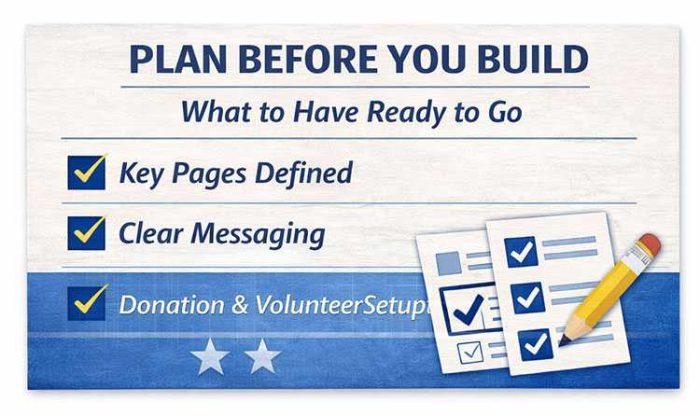
Step 4: Plan the Core Campaign Website Pages
Most campaign websites rely on five to seven core pages. What matters is how clearly those pages are defined and connected. Each one should answer a voter’s question or guide the visitor toward an appropriate next step.
In many cases, a site launches quickly but is revised weeks later once gaps become clear: missing pages, unclear messaging, or no direct path to donations or volunteer signup. Fixing a live campaign website is harder once traffic from search, social media, advertising, or press coverage has already begun.
| Page | Primary Purpose | What Visitors Expect | Common Mistake |
|---|---|---|---|
| Homepage | Guide visitors to key actions | Clear message and next steps | No clear call to action |
| About | Build credibility quickly | Who you are and why you’re running | Too long or unfocused |
| Issues | Explain priorities | Clear, understandable positions | Overly detailed policy language |
| Donate | Convert support into funding | Fast, simple donation process | Too many fields or steps |
| Volunteer | Capture active supporters | Easy way to get involved | No clear follow-up process |
| Email Signup | Build a supporter list | Quick and simple form | Hidden or too complicated |
| Contact | Provide direct communication | Easy way to reach the campaign | Limited or unclear options |
Focus on getting the core structure in place first. You can expand it with additional issue information, campaign news, endorsements, events, and media material as the campaign develops.
One problem we regularly see is that the candidate’s name or office sought appears prominently in a logo or header graphic but is difficult to find in the page text. The candidate’s full name, office, district or location, and election information should appear as readable text on the homepage. That makes the campaign easier to understand for voters, search engines, and any visitors using assistive technology.
For a deeper breakdown, review the campaign website pages that drive votes and donations.
Step 5: Write Content for Voters Who Scan
Content is where many campaign websites succeed or fail. The problem usually isn’t a lack of information. It’s that the information isn’t clear or easy to understand.
Most visitors will not read the site in detail. They’re scanning, often on a phone, to answer a few questions:
- Who are you?
- What are you running for?
- What do you stand for?
- Can I trust you?
- What should I do next?
Use short paragraphs, descriptive headings, and direct language. Avoid large blocks of text, overly formal phrasing, and details that obscure the main point.
We’ve had clients build content pages that were many screens deep because they expected more detail to persuade voters. Most visitors didn’t read that deeply. A shorter issues section that clearly explains the candidate’s priorities will often communicate more effectively than a long page filled with dense policy language.
Don’t assume every visitor will enter through the homepage. A voter may arrive directly on an About, Issues, News, Event, or Donate page through a search result, social post, email, advertisement, or shared link. Each important page should provide enough context to identify the candidate and race, along with a sensible next step. Treat every page as if it’s a potential introduction to the campaign.
Connect Each Page to an Appropriate Action
A page should guide visitors toward a reasonable next step. Depending on the content, that might be learning more, joining the email list, volunteering, attending an event, sharing the page, or donating.
That does not mean every paragraph needs a donation button. It means visitors should not reach the end of an important page without knowing where they can go next.
For more examples, review our guide to writing content for a campaign website.

Step 6: Connect Donations, Email, and Supporter Forms
A campaign website should do more than receive traffic. It should give interested visitors a way to donate, volunteer, ask a question, request a yard sign, or join the campaign’s email list.
Campaigns often generate early interest but miss opportunities because these systems aren’t ready. Interest can spike after an announcement, local media coverage, an endorsement, or another important moment in the race. Your forms and fundraising links need to work before that traffic arrives.
Set Up Your Donation Page Early
Your donation page should load quickly, ask only for necessary information, and make the next step obvious. Extra fields and a confusing process create friction and can lead to abandoned donations.
Use an established political fundraising service that fits your campaign and jurisdiction. If you’re not sure where to begin, review how to set up online political donations and these strategies for raising political donations online.
Build Your Email List From Day One
Your email list gives you direct access to supporters. It can be used to promote events, recruit volunteers, share campaign news, and request donations.
Make the signup form visible on the homepage, within relevant pages, and in the footer. Keep it simple and ask for as little information as your campaign needs. Without email capture, most visitors will leave and may never return.
Test What Happens After Every Submission
Submitting a form is only the first part of the process. Confirm that the campaign receives the notification, the submission is stored where appropriate, and someone is responsible for responding. Test donation, volunteer, contact, endorsement, yard sign, and email forms rather than assuming they work.
Step 7: Test and Launch the Website
Your site should be in place before you announce the campaign, direct voters online, or begin outreach. Early interest after an announcement or local coverage may be some of the highest-intent traffic the campaign receives.
Your website doesn’t need to be perfect before launch. It needs to be clear, complete enough to be credible, and functional.
Political Campaign Website Launch Checklist
Before directing voters to the website, confirm that:
- The candidate’s name, office sought, district or location, and election date are clear.
- The About, Issues, Donate, Volunteer, Contact, and other essential pages are complete.
- The campaign disclaimer appears wherever required.
- Donation, volunteer, contact, endorsement, yard sign, and email forms have been tested.
- Form notifications go to an actively monitored campaign address.
- Navigation, buttons, and forms work properly on a phone.
- The domain is registered through an account the campaign controls.
- HTTPS is active and no security warnings appear.
- Social-sharing titles and images display correctly.
- Analytics and Search Console access belong to the campaign.
- Another authorized person can access the website if the primary administrator is unavailable.
- Temporary text, sample content, and broken links have been removed.
Delays usually come from overthinking the setup, repeatedly revising content, or treating the website as a secondary task. A live website gives the campaign something to build on without missing early opportunities.
Step 8: Update the Website as the Campaign Develops
A campaign website built six months before Election Day should not look exactly the same six days before Election Day.
Early in the campaign, the emphasis may be introducing the candidate and explaining the reasons for running. Later, endorsements, news, events, volunteer recruitment, and fundraising may become more important. As voting begins, the homepage may need to promote registration deadlines, early voting information, polling details, or an Election Day reminder.
Review the website whenever the campaign enters a new phase. Keep dates current, test forms periodically, update calls to action, and remove information that is no longer useful. The goal is to launch with a clear foundation and improve the site without having to rebuild it during the race.
The structure outlined here reflects how many local campaigns operate in practice, particularly those working with limited time and resources. Starting with a clear foundation allows you to focus on outreach while the website supports your campaign.
Read More:



The Power of Branding Your Political Campaign »