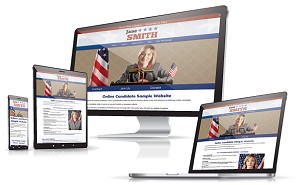
Most political campaign websites include a photograph of the candidate in the site header. It’s usually a head shot along with a logo and usually some sort of background image symbolically related to the location.
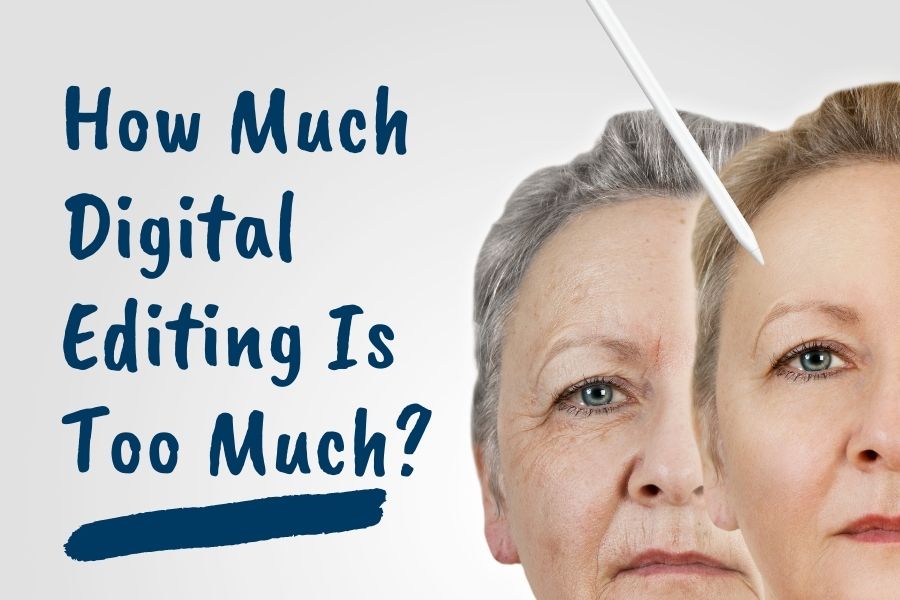
Often when we get a head shot in preparation for designing a campaign website’s header image, a client may make a comment about the image, such as ‘the color is off’ or ‘I look too wrinkly’. Even if nothing is said about the photo, we do our best to make the head shot look as attractive as possible.
In other words, we doctor the image. After all, you wouldn’t go on television without makeup. Why wouldn’t you enhance an important online photo?
We usually crop out backgrounds from the head shot, unless the background is included within the website header. We’ll also do color correction and sharpening to make the image crisper. In some case we’ll go a bit further in smoothing a few wrinkles or reducing dark rings or puffiness from the eyes. But it’s subtle. With the wonders of digital graphic design, we could easily knock off twenty years from someone’s appearance. A lot a clients might like that idea, but that’s probably going too far.
Just because we can replace your receded hairline or brighten your teeth to ultra-white doesn’t mean it’s a good idea to do so. You’ll still want voters to recognize you in real life.
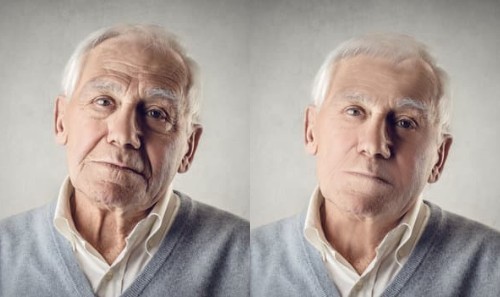
This is NOT how to properly touch up a head shot. It shouldn’t look like it went through an Instagram filter.
Most web photographs need to be cropped, sharpened and color corrected. However, we do NOT advocate full-scale alterations that may create misrepresentation. For example, fully replacing one person in an image with someone else or superimposing subjects that were not in the original image. Fraudulent edits can come back at you, especially if someone finds the original photo and compares it to your altered image.
Sometimes alterations may include removing something from clothing. For example, many sheriff candidates are not allowed to display their badges, patches or official seals on political material. In those cases, we may digitally remove or replace those items.
To sum it up: A little nip and tuck on a candidate’s photo is fine. Interior images can also be cropped and enhanced, but the basic content should remain unaltered. (Blurring faces for privacy is all right, though.)
Candidate photography head shot tips:
- Consider having your photographs done professionally. One session with a photographer might be all you need. If this is not possible, use a good digital camera with proper lighting.
- A head-on or three-quarter view is typical.
- Avoid plaid or tight-patterned clothing.
- The best shots for site headers are those where the candidate is standing before a solid contrasting background to what the candidate is wearing. This allows the background to be more easily cropped out.
- A large, high resolution is best for a graphic designer to work with. Large-sized images can be scaled down, but small, low-res images cannot be improved much.
- Dress appropriately.
- Smile!
Related: Tips for Great Political Campaign Photography
For more political marketing ideas, download our e-book Running for Office as an Online Candidate. This is available individually or as part of our Combo Package.
Read More:


Developing Strong Messaging for Your Political Campaign »
Tags: photos